Previously, we looked at the Metropolis algorithm and saw how it could generate samples from an unnormalized posterior. Metropolis is general and powerful, but requires many iterations to explore the posterior and careful tuning of proposal distributions.
In this chapter, we look at Stan, a modern and general-purpose platform for Bayesian inference (Carpenter et al. 2017). Stan automates the process of sampling from complex posterior distributions using a hyper-optimized version of Hamiltonian Monte Carlo (HMC) (Neal 2011), which is itself a form of Markov Chain Monte Carlo (MCMC). Betancourt (2017) provides a nice introduction to HMC.
Carpenter, Bob, Andrew Gelman, Matthew D. Hoffman, Daniel Lee, Ben Goodrich, Michael Betancourt, Marcus Brubaker, Jiqiang Guo, Peter Li, and Allen Riddell. 2017. “Stan: A Probabilistic Programming Language.”Journal of Statistical Software 76 (1): 1–32. https://doi.org/10.18637/jss.v076.i01.
Neal, Radford M. 2011. “MCMC Using Hamiltonian Dynamics.” In Handbook of Markov Chain Monte Carlo, edited by Steve Brooks, Andrew Gelman, Galin Jones, and Xiao-Li Meng, 113–62. Chapman; Hall/CRC. https://doi.org/10.1201/b10905-6.
Hoffman, Matthew D., and Andrew Gelman. 2014. “The No-u-Turn Sampler: Adaptively Setting Path Lengths in Hamiltonian Monte Carlo.”Journal of Machine Learning Research 15: 1593–623. https://jmlr.org/papers/v15/hoffman14a.html.
Stan handles nearly all the details automatically: step sizes, trajectory lengths, tuning, and adaptation (Hoffman and Gelman 2014). This allows the user to focus on the model itself.
Before Stan, Bayesian modeling in R was typically done using BUGS or JAGS, which relied on Gibbs sampling and Metropolis-within-Gibbs updates. These samplers were intuitive and easy to use but often slow to converge, especially for correlated or high-dimensional parameters.
Stan was designed to overcome these limitations. It uses gradients of the log-posterior to navigate the parameter space more efficiently, improving both speed and accuracy.
These notes use the modern {cmdstanr} package to run Stan from R. An older {rstan} package runs the same Stan programs. For our purposes, {cmdstanr} is faster and will experience fewer crashes than {rstan}. On my laptop, the turnout example takes about 7 seconds to compile and run 12,000 iterations (four chains of 3,000) in {cmdstanr} and about 24 seconds using {rstan}. Almost all of that difference is the time to compile the model; once compiled, both packages sample at about the same speed. I also compared the two on a large hierarchical model with about 9,500 parameters. {cmdstanr} compiled the model in about 9 seconds and {rstan} in about 31 seconds, and both took about 5.5 minutes to run one chain. But {rstan} used about 2.7 times as much memory (1.9 GB versus 0.7 GB), which matters for large models on a laptop. Many researchers use {rstan} and it’s the default backend for {brms}. However, the CRAN version of {rstan} “is often much more out of date” (Stan install page), and Aki Vehtari recommends {cmdstanr} over {rstan} in his Bayesian Data Analysis course. See the comparison between {rstan} and {cmdstanr} in the {cmdstanr} documentation.
We’ll assume weakly informative priors (i.e., variance = 25). Because the scale of the variables affects the interpretation of the priors, it’s common to rescale variables to have a common scale (e.g., SD of 0.5, SD of 1, or range of 1). For example, a prior with an SD of 5 is more or less informative depending on whether income is dollars or thousands of dollars—the coefficient is 1000x larger in the latter case.
\[
\beta \sim \mathcal{N}(0, 5^2 I).
\]
20.2 Stan Model
To use Stan, we need to represent the model in Stan’s syntax.1
1 Stan is a declarative modeling language: you describe the data you have, the parameters you don’t know, and the probabilistic relationships (priors and likelihood) that connect them. Stan then draws samples from the posterior using HMC.
parameters { ... } Unknowns to infer (e.g., vector[K] beta;, real<lower=0> sigma;). Put constraints that reflect the parameter’s support.
model { ... } Priors and likelihood live here. Use distribution statements (theta ~ normal(0,1);)
There are other blocks you can use as well.
As an example, the model below is how we can represent our logit model in Stan. We should save this text file as logit.stan in our project directory.
The Stan model mirrors the math closely.
// data blockdata {int<lower=0> N; // rows in design matrixint<lower=1> K; // columns in design matrixarray[N] int<lower=0, upper=1> y; // binary outcomematrix[N, K] X; // design matrix}// parameters blockparameters {vector[K] beta; // logit coefficients}// model blockmodel { beta ~ normal(0, 5); // n(0, 5) prior for each beta y ~ bernoulli_logit(X * beta); // logistic regression likelihood}
20.3 Data for Stan
We can use the same turnout data and formula from the Metropolis chapter.
# load only the turnout data frameturnout <- ZeligData::turnout |># create rescaled columns (rescaling inside the formula breaks predictions on new data)mutate(across(age:income, arm::rescale, .names ="rs_{.col}")) |>glimpse()
# build model framef <- vote ~ rs_age + rs_educate + rs_income + racemf <-model.frame(f, data = turnout)X <-model.matrix(f, data = mf)y <-model.response(mf)# bundle data for Stanstan_data <-list(N =nrow(X),K =ncol(X),y =as.integer(y),X = X)
# make the Document Self-Contained (silently write `logit.stan`)stan_code <-"data { int<lower=0> N; int<lower=1> K; array[N] int<lower=0, upper=1> y; matrix[N, K] X;}parameters { vector[K] beta;}model { beta ~ normal(0, 5); // weakly informative prior y ~ bernoulli_logit(X * beta); // logistic regression likelihood}"# Write the Stan program so the document runs without external files.writeLines(stan_code, con ='logit.stan')
20.4cmdstanr
The {cmdstanr} package runs Stan programs through CmdStan, Stan’s command-line interface. {cmdstanr} is not on CRAN, so we install it from the Stan r-universe and then use it to install CmdStan.
After sampling, we check two sets of diagnostics. The first set is the same as for the Metropolis algorithm:
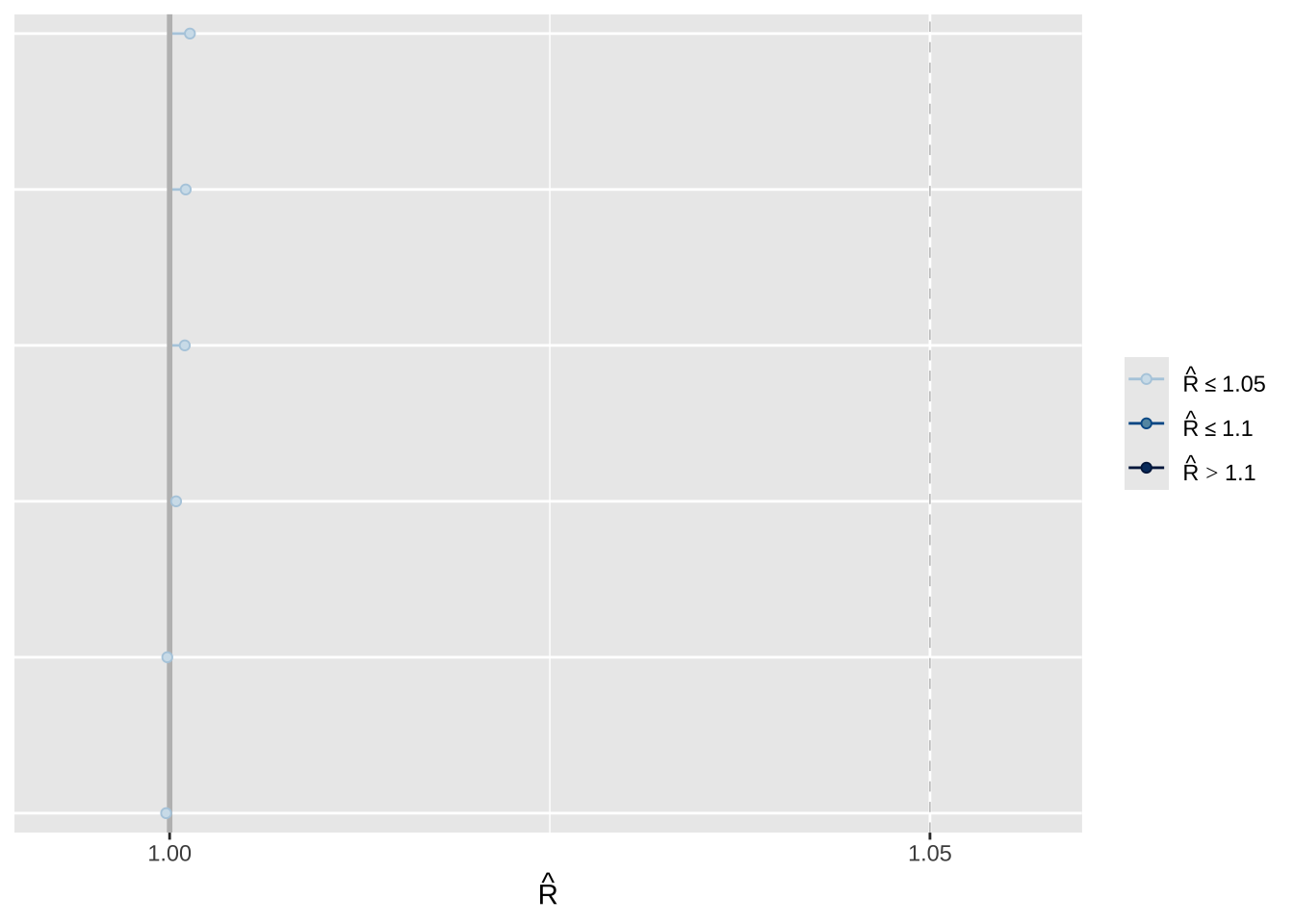
\(\hat{R}\): an R-hat larger than 1.01 shows that the chains have not converged (Vehtari et al. 2021).
Effective Sample Size (ESS): how much independent information is in the draws.
Vehtari, Aki, Andrew Gelman, Daniel Simpson, Bob Carpenter, and Paul-Christian Bürkner. 2021. “Rank-Normalization, Folding, and Localization: An Improved \(\widehat{R}\) for Assessing Convergence of MCMC (with Discussion).”Bayesian Analysis 16 (2): 667–718. https://doi.org/10.1214/20-BA1221.
The $summary() method reports these, but we can also compute them directly with summarise_draws() from {posterior}, which gives one row per parameter. As a rule of thumb, check \(\hat{R} < 1.01\) and ESS > 2,000. The second set is specific to HMC (see below).
library(posterior)draws_beta <- fit_cmd$draws(variables ="beta") # draws arraysummarise_draws(draws_beta, "rhat", "ess_bulk", "ess_tail")
[CTK: HMC has its own warnings, printed after sampling: divergent transitions (any after warmup → investigate; raise adapt_delta), maximum treedepth (efficiency, not validity), E-BFMI below 0.3]
[CTK: this model: 0 divergences, 0 treedepth hits, E-BFMI ≈ 1 in every chain]
# divergences, treedepth hits, and E-BFMI for each chain ({cmdstanr})fit_cmd$diagnostic_summary()
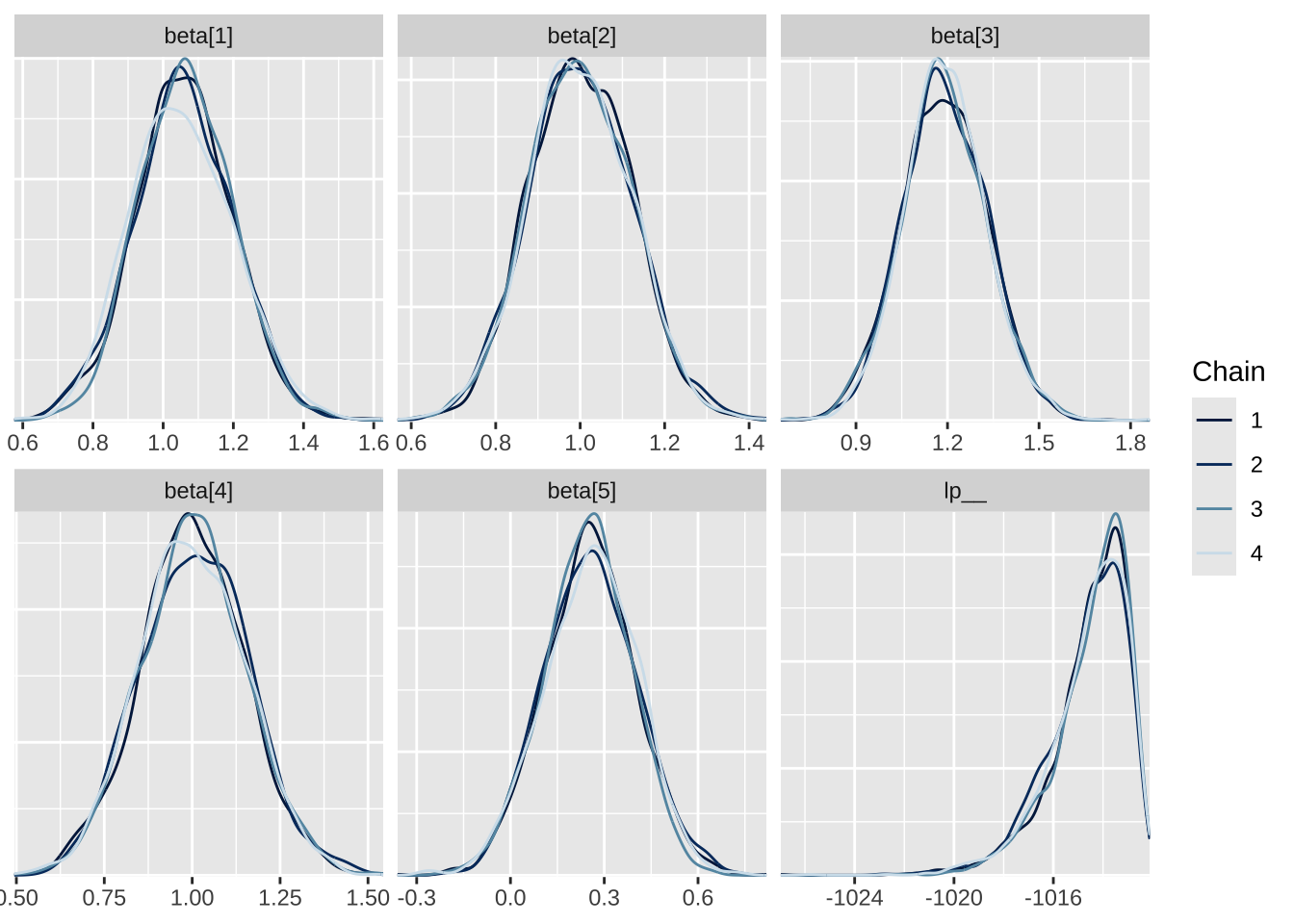
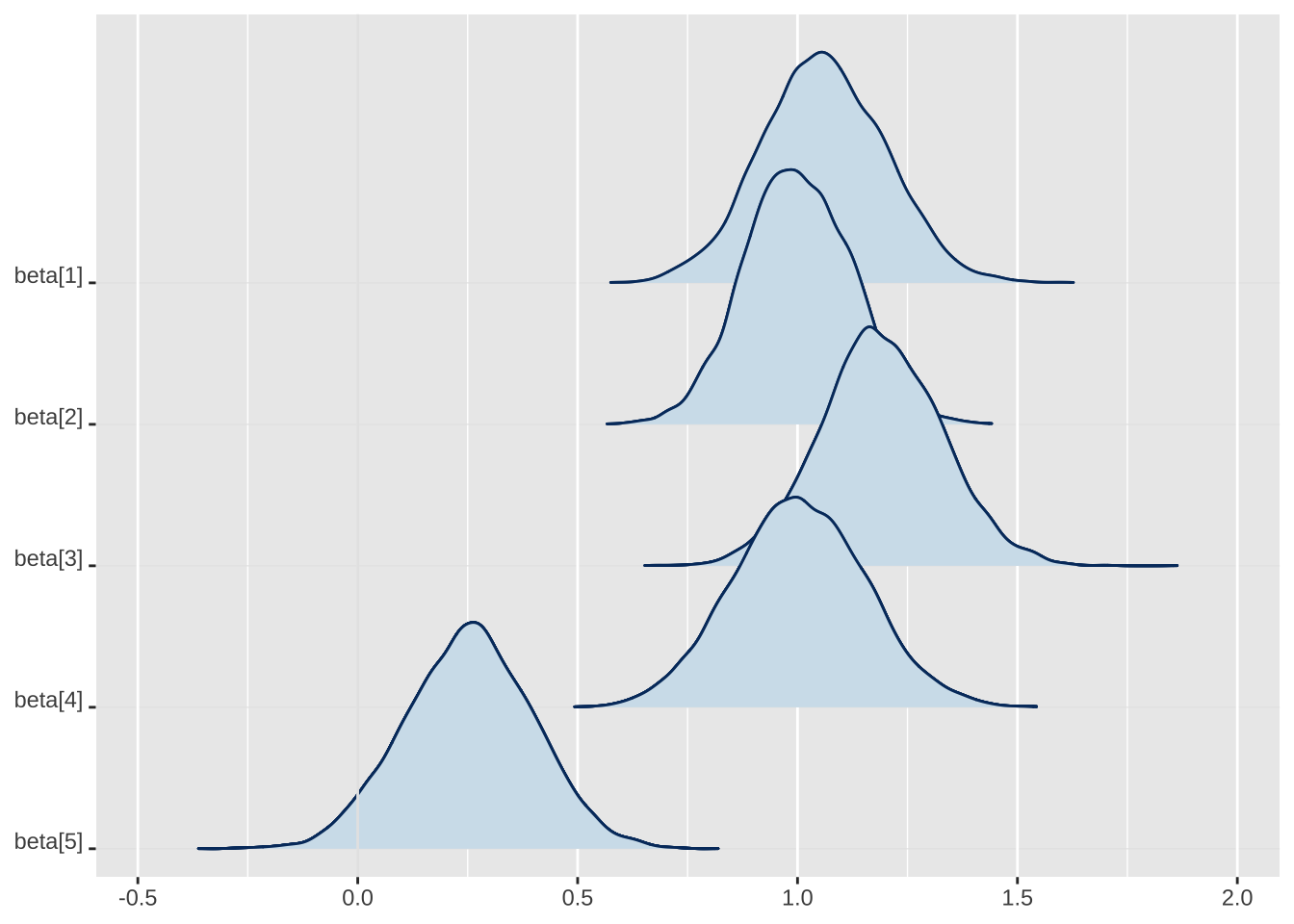
The {bayesplot} package offers many useful functions for visualizing the simulations. There are three examples below, but there are many more useful tools in {bayesplot}. Again, the documentation is excellent.
# load packageslibrary(bayesplot)# densities of parameters by chainmcmc_dens_overlay(draws_beta)
# ridges plot of densities of parametersmcmc_areas_ridges(draws_beta)
# trace plots of parameters by chainmcmc_trace(draws_beta)
20.5.3 {ShinyStan}
The ShinyStan app provides an interactive dashboard for convergence diagnostics, traceplots, divergences, and posterior summaries.
# launching a GUI is interactive; keep this non-evaluated by defaultlibrary(shinystan)# launch the app for the {cmdstanr} fitlaunch_shinystan(fit_cmd)
You can inspect trace plots, divergences, and other visual diagnostics interactively without additional coding.
20.6 Quantities of Interest
We have simulations of \(\beta\). We can summarize these with means, medians, SDs, quantiles, etc. The {posterior} package offers many useful functions for working with the simulations from {cmdstanr}. Again, the documentation for {posterior} is excellent. Here, we can use the $draws() method with format = "draws_matrix" to extract the MCMC samples of \(\beta\) from fit_cmd.
# put the simulations of the coefficients into a matrixbeta_tilde <- fit_cmd$draws(variables ="beta", format ="draws_matrix")head(beta_tilde)
Each row is one draw of \(\beta\), and each column is one coefficient. Notice that the draw is a rowname, not a column.
To compute a first difference, transform draws using the invariance principle.
# make X_loX_lo <-cbind("constant"=1, # intercept"rs_age"=-0.5, # 1 SD below avg -- see ?arm::rescale"rs_educate"=0,"rs_income"=0,"white"=1# white indicator = 1 )# make X_hi by modifying the relevant value of X_loX_hi <- X_loX_hi[, "rs_age"] <-0.5# 1 SD above avg# function to compute first differencefd_fn <-function(beta, hi, lo) { beta <-as.vector(beta) # to prevent column/row confusionplogis(hi%*%beta) -plogis(lo%*%beta)}# transform simulations of coefficients into simulations of first-difference# note 1: for clarity, just do this one simulation at a time,# note 2: i indexes the simulationsfd_tilde <-numeric(nrow(beta_tilde)) # containerfor (i in1:nrow(beta_tilde)) { fd_tilde[i] <-fd_fn(beta_tilde[i, ], hi = X_hi, lo = X_lo)}# posterior meanmean(fd_tilde)
[1] 0.166
20.7 Summary
There are three important points to remember.
Stan as modern MCMC
Stan automates MCMC using a hyper-optimized version of HMC. It efficiently samples from posteriors that are otherwise difficult to explore.
Interfaces
We run Stan from R with {cmdstanr}. The older {rstan} package runs the same Stan programs, but its summaries use older versions of R-hat and ESS.
Diagnostics and Visualization
Check \(\hat{R}\), ESS, and the HMC diagnostics (divergent transitions, maximum treedepth, E-BFMI). An R-hat larger than 1.01 or any divergent transitions after warmup mean that we cannot yet trust the draws. The $summary() and $diagnostic_summary() methods report these, and {bayesplot} and ShinyStan make it easy to explore them visually.
Stan generalizes what we learned with the Metropolis algorithm: the logic is the same, but the computation is vastly more efficient.